
Absolute freedom for your Apple Music and Audiobooks, Enjoy your iTunes songs and audiobooks freely without any limitation on any portable devices you like.
M4P to MP3 Converter for Mac is the all-in-one solution for people who purchased Apple music, old iTunes songs, audiobooks and video from iTunes store but have compatibility issues with their mobile devices. This application can bypass iTunes DRM-protection and is able to convert M4P, M4V, AAC, M4B, M4A, AA and AAX files to various audio formats including MP3, WAV, M4R, M4A, AAC, FLAC, AIFF, MKA, AC3 and AU. Ready for using on any other computer or mobile devices such as Android, Car player, iPhone, iPad, tablet PC, MP3 player, Sonos, smartphone and etc.
This software can not only convert Apple music and audiobooks, but also quickly extract music tracks from iTunes video (M4V or MP4) files and save in audio formats with CD quality. This Mac iTunes M4P converter uses advanced DRM-removal technique. So that you can convert any DRM protected music without any restriction. it is easy to enjoy apple music anywhere! Designed for Mac OS X 10.12 to macOS 15 Sequoia users.
 288 MB

$99.95
$49.95 USD
Looking for a Windows version of M4P Converter ? Go to Easy M4P Converter for Windows.
The latest version of M4P to MP3 Converter is fully compatible with Apple Music app.

Legally remove DRM from Apple music & Convert M4P to MP3.
Do you want to play your Apple music on your other computers or digital players? With this easy Apple Music DRM removal software, it will be possible to get rid of copy-protection from iTunes M4P music, and convert Apple music to unprotected audio formats with ID tags preserved. Never deal with DRM-protection problems again. Keep Apple Music songs playable offline on any device. Your Apple music, any way you want it!
M4P to MP3 Converter for Mac has been solving all iTunes DRM protection issues since 2007.

Convert Audiobooks to MP3, AAC, M4A, etc
Enjoy any audiobooks on any device, - anywhere! It is also an Audiobook Converter for Mac, batch converts DRM protected iTunes M4B, and Audible AA, AAX files to more universal audio formats, such as M4A, MP3, M4R, AAC, AC3, FLAC, AIFF, AU, and MKA. AudioBooks chapter information will be preserved in the output WAV, M4A files.
Audiobooks in MP3 format are commonly used and can be listened on almost any portable devices.
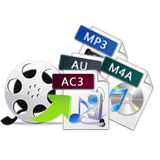
Convert iTunes video to MP3 on Mac.
Sometimes you might need to extract favorite audio from iTunes M4V video and TV shows to be able to listen to it using your MP3 player. With M4P to MP3 Converter, You can easily and quickly convert DRM protected videos (M4V), unprotected video (MP4, AVI, MPEG, MOV, MKV) and TV shows purchased or rent from iTunes to different audio formats including MP3, M4A, FLAC, etc. and enables you to save your audio in MP3, M4A, WAV, AAC, AC3, M4R and more formats for your special enjoyment. Batch iTunes video to audio conversion is also supported.

Convert unprotected audio to MP3
In addition to convert DRM protected Apple music, it also can convert almost all non-DRM audio and video that could be played on your iTunes. M4P to MP3 Converter for Mac always provides you with the best solution for converting iTunes music on your Mac and preserves 100% of the original sound quality.

Support batch music conversion
Batch conversion function saves more time, users can take advantage of this function to download and convert multiple Music collections in one go. You can select several music files or several playlist to convert as a batch. It offers up to 16X faster conversion speed which is beyond your imagination. The audio convertion speed of it can be 10 times faster than other Apple music conversions with the same audio quality. Fully compatible with the latest Apple Music app.
Discover more M4P to MP3 Converter for Mac features:
- Supports DRM audio formats: M4P files downloaded from the new apple music app + M4A files that you buyed on Apple store.
- The only legal way to remove DRM from iTunes M4P, M4A, M4B, M4V, protected AAC, Audible AA and AAX files.
- Export audio from iTunes M4V video for playback on any portable devices.
- Adjust advanced audio parameters like encoder bit-rate, codec, sample rate, and audio channel to optimize your iTunes conversion.
- M4P converting is very simple and the software interface is user-friendly.
- Support edit the audio track title, artist, album cover and etc.
- Set a range of parameters to customize your audio output.
- Preserves ID3 tags for song names, artist, album, artworks, etc in MP3 and M4A output files after conversion.
- Get the 100% same quality as original, including channel, audio codec, bit rate, sample rate, and etc.
- No matter what happens, your original Apple music will not be harmed in any way.
- Support customizing output file names.
- It won't install any virtual drive, and needn't any extra hardware.
- Fast & friendly technical support is available for every user.
- Convenient search function even scans your iTunes for any media files to be processed.
- Specially designed for Mac users & All features are fully supported on macOS 10.12 - 15.5, including macOS Sequoia.
- All future updates are free to all registered users.
- This is a one-time fee (not a subscription), Purchase once to own this version forever.
If you have purchased lots of Apple music from Music store - let M4P Converter be your assistant.
Start using with full-functionality right away. see how easy it is to convert your Apple music and iTunes songs!
Requires Mac OS X 10.12 or later. | For Windows, Download Easy M4P Converter for Windows
Product Information & System Requirements:
> Mac OS X 10.12 or higher
> Ready for macOS 15.5 Sequoia.
> Compatible with Apple Music app.
> Current Version: 8.8.4
> Released Date: May 18th, 2025
> File Size: 288 MB
60 Days Money back Guarantee !

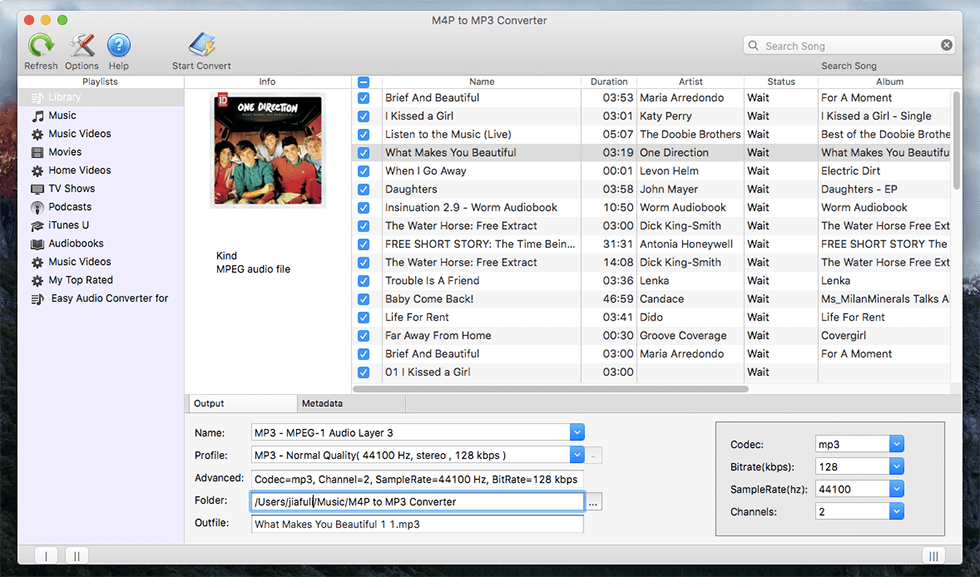 Main Interface
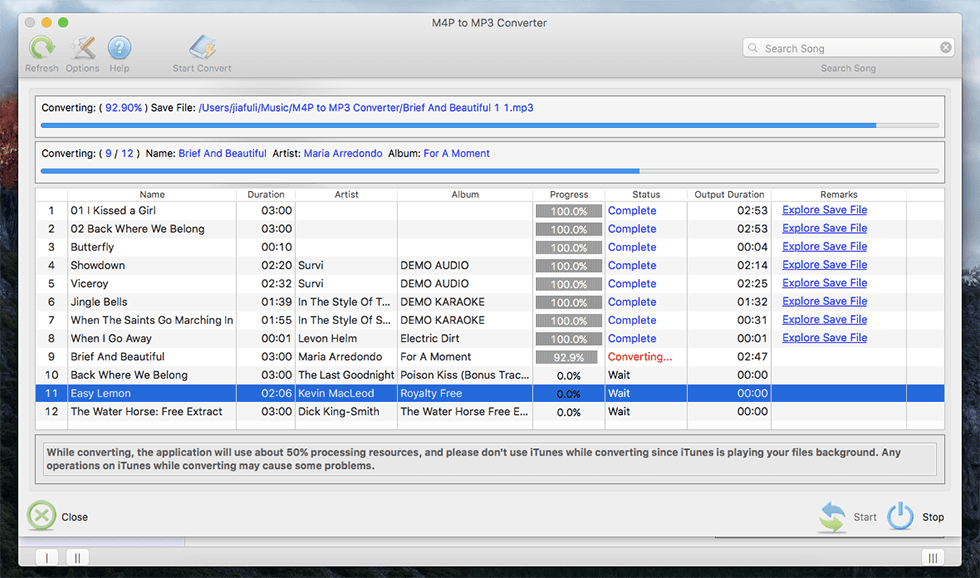 Converting
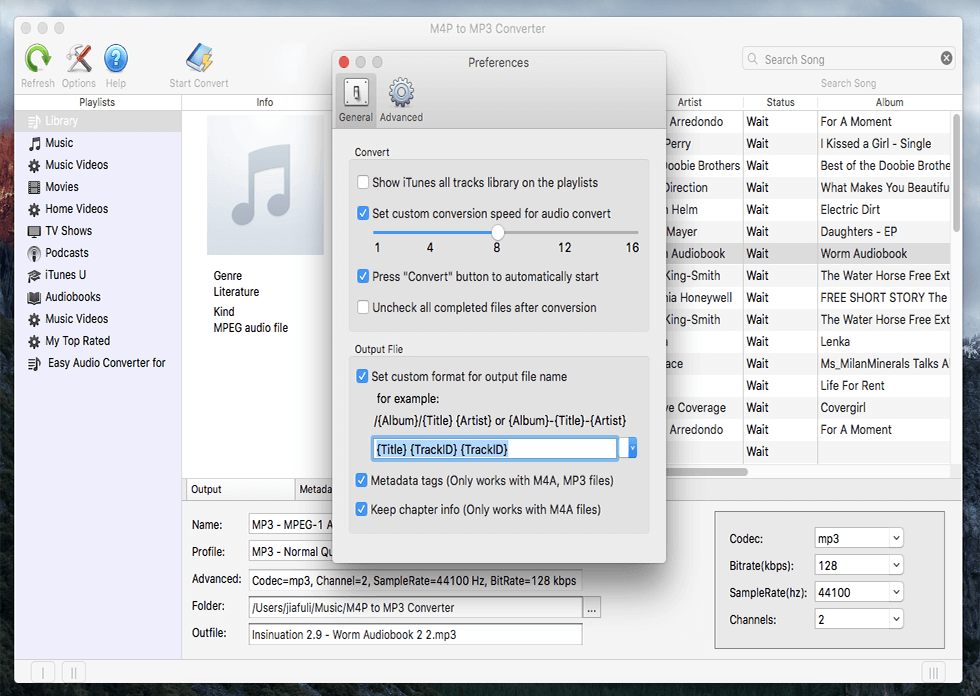 Advanced Options & Preferences
"The quality of the converted iTunes music files was excellent, easy to convert old itunes songs without quality loss." - David Blumrosen
“I’ve tried lots of Music Converter and M4P Converter is the most intuitive program of its kind.” - Jon Silvera
"Your M4P Converter is amazing! I'm not technically savvy, but I easily converted my music library to MP3 on my macbook pro. Now everyone in my family is enjoying their playlists on their mobile devices." - Bonni
"I've bought M4P Converter Mac version, and it works perfect of converting m4p to mp3 on my macOS, Now I can enjoy apple music in MP3 format on my android device now. ------- SimmoJ fro." - Pauline
"It's really perfect. I have tons of iTunes M4P files collected on my computer and they are all DRM protected. Thanks for this excellent DRM removal app, I can enjoy these iTunes files on my MP3 player freely now. It really works fast!" - Martin Smith
"I have a number of DRM-protected music and audiobooks that I needed to makes to MP3 and this is doing it perfectly... Really Great!" - Jeff
"I tried several Apple Music Converter and this one is definitely the best ever!" - Bob Jullens
"the app works the conversion was very easy and very fast and I enjoy it very much. Thank you for your support." - Rick Davitt
Convert purchased iTunes music
Convert AAX to MP3 on Mac
Convert iTunes DRM Video to MP3
Convert protected AAC to MP3 on Mac
Why Choose M4P to MP3 Converter?